UI vs UX: Understanding the Difference Between “Looking Good” and “Working Well”
The conversation around UI vs UX comes up in almost every client meeting. Some people use the terms interchangeably. Others assume they mean the same thing.
They do not.
Understanding UI vs UX is not just about terminology. It directly affects how you build products, hire designers, and invest in digital growth. If you confuse the two, you risk focusing on surface-level polish while ignoring deeper usability problems.
Let’s break it down clearly and practically.
UI vs UX: What Is the Real Difference?
When we talk about the difference between UI and UX, we are really talking about two different layers of a product.
- UI stands for User Interface
- UX stands for User Experience
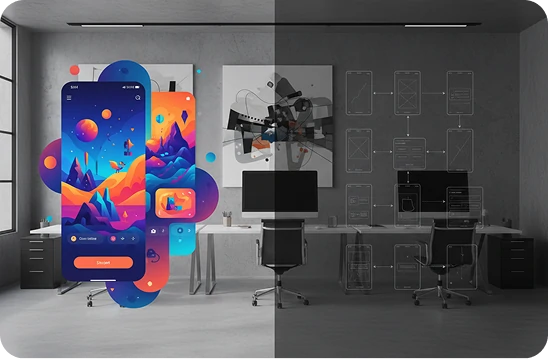
In simple terms, UI is how things look. UX is how things work.
That is the short version of UI and UX design explained in everyday language. But there is more nuance behind it.
What Is UI?
UI refers to the visual and interactive elements users engage with:
- Buttons
- Colors
- Typography
- Icons
- Spacing
- Layout
- Animations
It is the presentation layer. A strong UI feels clean, consistent, and visually appealing. It builds first impressions and brand credibility.
What Is UX?
UX focuses on the overall journey and usability:
- How easy it is to complete a task
- How intuitive the navigation feels
- How quickly users find what they need
- How smooth the flow is from start to finish
UX is about structure, logic, and clarity. It is about reducing friction.
When people search for UI UX meaning, this is the core idea. UI is the surface. UX is the system beneath it.
User Interface vs User Experience in Practice
Let’s imagine an eCommerce website.
The UI might look stunning. Beautiful product images. Elegant typography. Smooth transitions.
But if the checkout process is confusing, shipping costs appear too late, or the form is too long, users abandon their carts.
That is a UX problem, not a UI problem.
On the other hand, a site could have a logical structure and simple checkout flow, but outdated visuals and inconsistent branding. Users may question its credibility.
That is a UI issue.
This is why the conversation around user interface vs user experience matters. They are connected, but they are not interchangeable.
Why the Difference Matters for Business
Many companies invest heavily in visual redesigns, thinking that a fresh look will solve performance issues.
Sometimes it helps. Often it does not.
Here is why:
- UI influences perception
- UX influences behavior
Perception shapes trust. Behavior drives revenue.
If your product looks good but feels frustrating, users leave. If it works well but looks unprofessional, users hesitate.
Strong digital products align both.
UI Designer vs UX Designer: Different Roles, Different Thinking
Another common confusion is around UI designer vs UX designer roles.
They overlap, but their focus is different.
A UX designer typically works on:
- User research
- Personas and journey mapping
- Wireframes and flows
- Information architecture
- Usability testing
A UI designer focuses on:
- Visual systems
- Design consistency
- Interaction details
- High-fidelity mockups
- Design systems and style guides
In mature teams, both roles collaborate closely. In smaller teams, one person might handle both.
The important thing is not the job title. It is whether both layers are being addressed thoughtfully.
A Real-World Perspective
In one project I worked on, a client insisted their problem was “just visual.” They wanted a modern interface because competitors looked more polished.
We started with an audit instead of jumping into visuals.
What we found was not primarily a UI issue. The navigation was confusing. Important features were buried. The onboarding flow overwhelmed new users with too many choices.
If we had simply refreshed colors and typography, nothing meaningful would have changed.
Instead, we restructured the information architecture first. We simplified user flows. We reduced cognitive overload.
Only after that did we redesign the interface.
The result was not just a prettier product. It was easier to use, adoption increased, and support tickets dropped.
On another project, the opposite happened. The product worked well structurally, but the UI felt outdated and inconsistent. Users associated it with being unreliable, even though it was technically strong.
A focused visual refresh improved trust and perception significantly.
The lesson is this. Diagnose correctly before prescribing solutions.
Common Misconceptions About UI vs UX
Let’s clear up a few things.
Misconception 1: UI is more important because it is visible.
Visibility does not equal impact. UX often drives deeper, long-term performance.
Misconception 2: UX is just wireframes.
UX is strategic. It influences product direction, prioritization, and user satisfaction.
Misconception 3: If it looks good, it must work well.
A beautiful interface can still hide a frustrating experience.
Understanding the true difference between UI and UX helps leaders make smarter decisions about budgets, timelines, and talent.
How to Balance Both Effectively
If you want your product to succeed, here is a practical approach:
Start With UX
Before discussing colors or styles, clarify:
- Who are your users?
- What problems are they solving?
- What is the simplest path to success?
Structure comes first.
Then Elevate With UI
Once flows are clear and validated, enhance them with:
- A cohesive visual identity
- Consistent components
- Accessible color contrast
- Polished interaction details
Good UI amplifies good UX. It does not compensate for weak UX.
Test Everything
Run usability tests. Observe real users. Watch where they hesitate.
You will quickly see whether the issue is visual confusion or structural friction.
The Bigger Picture
The debate around UI vs UX should not be about choosing one over the other. It should be about understanding their roles within a larger product strategy.
When you focus only on looking good, you risk building a fragile product that struggles to retain users.
When you focus only on working well but ignore presentation, you weaken brand perception and emotional connection.
The strongest digital products respect both layers.
If you are building or scaling a digital product, ask yourself a simple question.
Does it just look impressive, or does it truly work effortlessly?
That answer will tell you whether you are investing in design, or investing in real user value.