The Hidden Dangers of QR Codes: Scan at Your Own Risk?
It’s Saturday night. You’re at a trendy new bistro, the kind with exposed brick walls and Edison bulbs. You sit down, hungry, and look for a menu. There isn’t one. Instead, taped to the corner of the table, there is a small, black-and-white pixelated square.
You know the drill. You whip out your phone, open the camera, scan the square, and tap the little yellow link that pops up. Boom! You’re looking at the appetizers. It’s seamless. It’s contactless. It’s convenient.
But let me ask you a question: Do you have any idea where you actually just went?
We have entered an era of “Blind Trust.” We scan these little squares to rent electric scooters, pay for parking, join Wi-Fi networks, and check into flights. We treat them like harmless digital keys. But in the cybersecurity world, we know better. That innocent-looking square is essentially a mystery door. And just like you wouldn’t open a door in a dark alley without looking through the peephole first, you need to stop scanning blindly.
Welcome to the world of QR code dangers. It’s time to get street-smart about those pixelated boxes before one of them cleans out your bank account.
The “Unreadable” Link
Here is the fundamental problem with QR codes: they were designed for machines, not human beings.
If I sent you an email with a link that read www.bank-of-america-security-alert-login-now.com, you’d probably pause. You’d spot the typos, the weird hyphens, or the fact that it doesn’t look like the official website. Your brain’s “scam radar” would go off because you can read the text.
A QR code removes that radar entirely. A QR code is just a URL (a web link) wearing a disguise. When you look at that static-filled square, you cannot tell the difference between a link to the BBC News homepage and a link that installs spyware on your device. To the human eye, they look exactly the same.
Hackers love this. They love that QR code security risks are often ignored because the technology feels so mundane. They bank on the fact that you assume the code is safe because of where it is, on a table, a poster, or a screen. But in the digital world, context can be faked.
Enter “Quishing”
You’ve heard of “Phishing”: those emails from a “Nigerian Prince” or “IT Support” trying to get your passwords. Now, meet their uglier, smarter cousin: Quishing.
Quishing is simply phishing via QR code. It is becoming a favorite tactic for cybercriminals because it brilliantly bypasses traditional security measures.
Here is how it works: Most corporate email filters and security software are designed to scan text. They read the body of an email to look for suspicious links or spammy keywords. But if a hacker sends an email that contains an image of a QR code with the caption “Scan to update your 2FA settings,” the security filter often lets it slide. It just sees an image file, not a malicious link.
You open the email on your laptop, scan the code with your phone, and suddenly you are on a perfect replica of your company’s login page. You type in your credentials, and just like that, the hacker has your password. Because the attack happened on your personal phone, off the company network, the IT department might never even see it coming.
The “Sticker” Trick (Physical Scams)
This is the scam that keeps us up at night because it is so incredibly low-tech and effective. It doesn’t require a hacker to be a coding genius; it just requires a printer and some sticker paper.
Imagine you pull into a parking spot in a busy city. You see the pay station, and there is a QR code labeled “Scan to Pay.” It looks official. It’s right on the machine. You scan it, enter your credit card number into the website, and pay your $5.00 for parking.
Two weeks later, you notice $500 missing from your account.
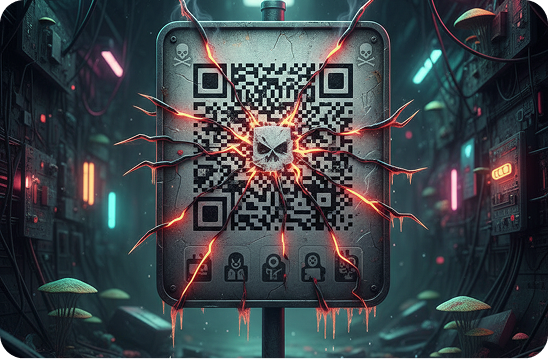
Here is what happened: The city didn’t put that QR code there. A scammer printed their own fake QR codes onto stickers and pasted them over the legitimate codes on the parking meters.
When you scanned it, you weren’t taken to the city’s payment portal. You were taken to a look-alike site designed to harvest your credit card details. This tactic is plaguing parking meters, bus stops, and even restaurant tables. In a busy cafe, a scammer can easily slap a sticker over the menu code while the waiter isn’t looking. The next customer who scans it doesn’t get a menu; they get a malware download.
This is one of the most prevalent QR code scams happening in the physical world right now, and it relies entirely on us not paying attention.
The Malware & Data Theft
So, what actually happens if you fall for malicious QR codes? It usually goes one of two ways.
- The Credential Harvest: This is the most common. The code takes you to a fake website: Amazon, PayPal, your bank, or Microsoft 365. It asks you to log in. Once you do, the site might even redirect you to the real page so you don’t suspect anything, but the damage is done. The attacker has your login info.
- The Drive-By Download: This is nastier. In some cases, scanning a code can initiate a download of a malicious file to your smartphone. This could be spyware that tracks your keystrokes, ransomware that locks your files, or a botnet program that uses your phone’s processing power to attack others.
Because mobile devices are often less protected than desktop computers (do you have antivirus on your iPhone?), they are prime targets for these attacks.
Social Engineering: Curiosity Killed the Cat
Hackers know that humans are curious creatures. We also panic easily.
We are seeing a rise in scams where random QR codes are left in public places without context, perhaps just a sticker on a wall that says “Free Bitcoin” or “You won!” Curiosity gets the better of people, and they scan it just to see what it is.
Even more manipulative are the “Urgency” scams. You might find a package slip on your front door saying, “We missed you! Scan this code to reschedule delivery immediately or your package will be returned.”
You didn’t order a package, but you worry maybe you forgot something? Or maybe it’s a gift? You scan the code, and it asks for a small “redelivery fee” or your personal information to “verify your identity.” It’s all a lie. It’s social engineering at its finest, weaponizing a little black-and-white square to bypass your critical thinking skills.
Defense 101: How to Stay Safe
I don’t want you to be afraid of technology. QR codes are useful tools. But you need to treat them with the same “street smarts” you use with everything else. Here is your defense kit:
- The Fingernail Test: Before you scan a code on a poster, a parking meter, or a table, scratch it with your fingernail. If it feels like a sticker sitting on top of the surface, or if you can peel it off, do not scan it. It is likely a trap.
- The “Preview” Habit: When you point your camera at a QR code, your phone usually displays a small pop-up showing the URL (website address) before you tap it. Read it. Does it look legitimate? If you are scanning a menu, does the link say joes-bistro.com or bit.ly/xyz-random-text? If the URL looks short, scrambled, or unrelated to the business, don’t tap it.
- Never Download Apps via QR: If a QR code tells you to download an app to proceed, stop. Go to the official App Store or Google Play Store and search for the app yourself. Sideloading apps from random websites is the fastest way to get malware.
- Don’t Scan Random Codes: If you see a QR code on a light pole with no context, leave it alone. Curiosity is not worth a compromised identity.
Conclusion
The QR code is not going away. It bridges the gap between the physical and digital worlds too well to be abandoned. However, that bridge is currently unguarded.
The rise of QR code dangers reminds us that convenience often comes at the cost of security. We have been trained to tap, swipe, and scan without thinking, and criminals are exploiting that muscle memory.
You don’t need to stop using them. Just stop trusting them blindly. Take that extra second to check for a sticker. Read the URL preview. Be skeptical. In a world full of digital traps, a little bit of paranoia is a healthy thing.
So, the next time you see that pixelated square, ask yourself: do you really know where it leads? Look before you scan.