AI in UX Design: Friend or Foe?
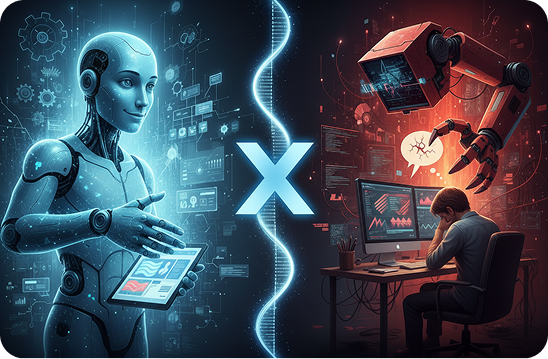
AI in UX design has moved from being an experiment to something teams use daily. Designers are no longer asking whether AI belongs in the UX process. The real question is how far it should go, and what role humans still need to play.
When used correctly, AI can dramatically improve user experience design. When used blindly, it can just as easily damage trust, usability, and brand credibility. So is AI a friend or a foe in UX design? The honest answer depends on how we use it.
AI UX Design Tools Today
AI UX design tools are now embedded across research, design, and testing phases. They help teams move faster, analyze deeper, and personalize experiences at scale.
Some of the most common uses include:
-
- Analyzing usability test recordings and heatmaps
-
- Generating design variations and layout suggestions
-
- Automating accessibility checks
-
- Predicting user behavior and drop off points
-
- Powering chatbots and conversational interfaces
These tools do not replace UX designers. They support them. AI is best seen as a decision support system, not a decision maker.
Benefits of AI in User Experience
Faster, Smarter Design Decisions
One of the biggest benefits of AI in user experience is speed. AI can analyze thousands of data points in minutes. Patterns that would normally take weeks to uncover become visible almost instantly.
This helps teams:
-
- Validate assumptions earlier
-
- Make design decisions backed by data
More Personalized Experiences
AI enables personalization at a level traditional UX design cannot easily achieve. Interfaces can adapt based on behavior, location, preferences, or history.
Examples include:
-
- Dynamic content recommendations
-
- Adaptive onboarding flows
When done right, personalization makes users feel understood rather than tracked.
Improved Accessibility
AI tools can automatically detect contrast issues, missing labels, and usability barriers. Some systems even adapt interfaces in real time for users with visual or motor impairments.
Accessibility is no longer optional. AI helps teams catch issues early, before they reach production.
Challenges of AI in UX Design
Loss of Human Context
AI can recognize patterns, but it cannot fully understand emotions, culture, or intent. UX design is not just about efficiency. It is about empathy.
Without human oversight, AI-driven experiences can feel cold, generic, or even offensive in certain cultural contexts.
Bias in Data and Design
AI learns from data. If that data is biased, the experience will be too.
This can lead to:
-
- Excluding certain user groups
-
- Poor experiences for edge cases
UX designers must actively question AI outputs rather than accepting them as neutral or objective.
Over Automation
Relying too heavily on AI tools can weaken design thinking. When teams stop asking why and only accept what the tool suggests, creativity suffers.
Good UX still requires judgment, trade-offs, and human reasoning.
What We’ve Seen in Real Projects
In real UX projects, AI works best when it supports, not leads.
We have seen teams use AI to speed up research analysis, only to discover later that critical emotional insights were missed. In other cases, AI-generated personalization improved engagement but confused users because the logic was not transparent.
The most successful projects shared one thing in common. Designers treated AI as a collaborator, not an authority. They validated outputs, challenged assumptions, and made final decisions themselves.
So, Friend or Foe?
AI in UX design is neither good nor bad by default. It reflects the intentions and skills of the team using it.
AI becomes a friend when it:
-
- Saves time on repetitive tasks
It becomes a foe when it:
-
- Prioritizes automation over understanding
The future of UX design is human-led, AI-assisted. That balance is where great experiences are built.