The Rise of Motion in UI Design
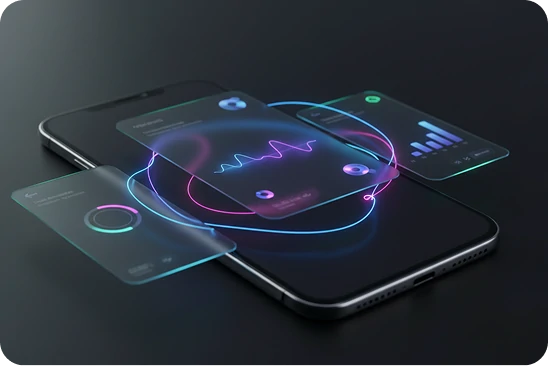
In 2026, motion is no longer a decorative extra. It is a core part of how digital products communicate. Motion design in user interface has evolved from flashy animations into a strategic tool that guides, informs, and reassures users.
If you have noticed apps feeling smoother, smarter, and more natural lately, motion is likely the reason. The rise of animated user interfaces is not about style alone. It is about clarity and usability.
Let’s break down why motion matters and how it is shaping UI animation trends 2026.
Why Motion Design in User Interface Matters
A static interface can feel cold or confusing. Motion adds context.
For example, when a button slightly expands after you tap it, you instantly know your action was registered. When a card smoothly slides into view, your brain understands the transition between states.
This is the power of motion design in user interface. It:
- Provides feedback
- Shows relationships between elements
- Guides attention
- Reduces confusion
- Makes products feel alive
In simple terms, motion explains what is happening without words.
Microinteractions in UI: Small Details, Big Impact
One of the most important parts of this movement is microinteractions in UI.
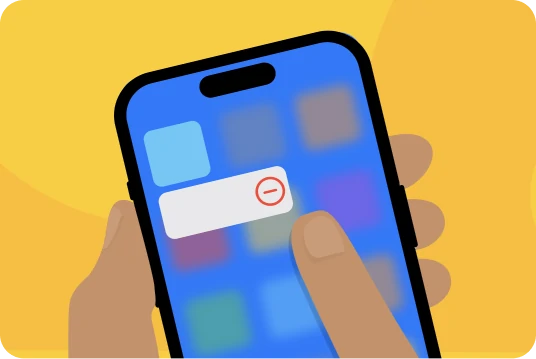
Microinteractions are small animations tied to specific actions. They are subtle but powerful.
Examples include:
- A heart icon filling when you like a post
- A loading spinner that appears during processing
- A toggle switch smoothly sliding from off to on
- A form field gently shaking when input is invalid
These small moments create clarity and emotional connection. They make interfaces feel responsive rather than mechanical.
In 2026, ignoring microinteractions in UI often makes a product feel outdated.
Animated User Interfaces Feel More Human
Humans live in a world of movement. We understand transitions naturally. When interfaces reflect that reality, they feel intuitive.
Animated user interfaces help users understand:
- Where they came from
- Where they are going
- What changed
- What action just happened
For example, when a menu expands instead of suddenly appearing, the movement shows the relationship between the button and the content.
Without motion, interfaces can feel abrupt or confusing.
Benefits of Motion in UX
The benefits of motion in UX go far beyond aesthetics. When used correctly, motion improves usability.
Here are the key benefits:
1. Better Feedback
Users instantly know their actions were successful.
2. Improved Navigation
Smooth transitions help users understand structure and hierarchy.
3. Reduced Cognitive Load
Motion explains relationships visually instead of relying on instructions.
4. Stronger Brand Identity
Unique animation styles create memorable experiences.
5. Higher Engagement
Interfaces that feel dynamic often encourage longer interaction.
Motion should always serve a purpose. When it supports usability, it becomes a powerful tool.
UI Animation Trends 2026
So what defines UI animation trends 2026?
Subtle and Purpose Driven Motion
Overly dramatic animations are fading. Designers now focus on clarity and function.
Context Aware Animations
Interfaces adapt motion based on user behavior and device performance.
Smooth Micro Transitions
Small transitions between states feel natural and almost invisible.
Performance Focused Design
Animations are optimized to avoid slowing down the product.
The biggest trend is balance. Motion is integrated thoughtfully rather than used everywhere.
A Real World Perspective
In real projects, we have seen how motion transforms user perception.
One mobile app had excellent features but felt rigid. Users described it as “cold” and “technical.” We introduced subtle microinteractions in UI, smoother screen transitions, and animated feedback for key actions.
The result was immediate. Users reported that the app felt easier to use, even though functionality did not change.
On the other hand, we have also seen teams overuse motion. Heavy animations slowed loading time and distracted from core tasks. Users became frustrated.
The lesson is clear. Motion should guide, not entertain.
How to Use Motion Design the Right Way
If you want to implement motion design in user interface effectively, follow these principles:
- Keep animations short and smooth
- Always connect motion to a user action
- Avoid unnecessary decorative effects
- Test performance on real devices
- Ensure accessibility for users sensitive to motion
Great motion feels natural. If users notice it too much, it might be too much.
Motion Is the Language of Modern Interfaces
The rise of animated user interfaces signals a larger shift. Interfaces are no longer static screens. They are interactive systems that respond to human behavior.
Motion bridges the gap between design and psychology. It makes technology feel more human.
The future of UI animation trends 2026 is not about making interfaces flashy. It is about making them understandable.
Final Thoughts
Motion is not a trend that will disappear next year. It is becoming a core part of digital communication.
When used strategically, the benefits of motion in UX are clear. Better feedback. Clearer navigation. Stronger emotional connection.
In 2026 and beyond, the best interfaces will not just look good. They will move with purpose.
And when motion serves clarity, everyone wins.